Call tracking and CRM for teams that sell on the phone
Every sales call tracked. Every lead followed up.
CallCRM logs every call your salespeople make from their own phones, asks for the outcome when the call ends, and shows you who called, who was missed and what to do next. Recordings come back with an AI review.
Android app for salespeople. Works with any SIM. 14-day free trial.
How it works
From a lead file to a full picture of your team's calling, in three steps
1 Upload your leads
Import a CSV or Excel file, group it into a campaign with a deadline, and deal the leads out to your salespeople round robin or by hand.
2 Your team calls from their own phones
The CallCRM Android app logs every call on the work SIM automatically and asks for the outcome the moment a call ends. No dialer licences, no desk phones.
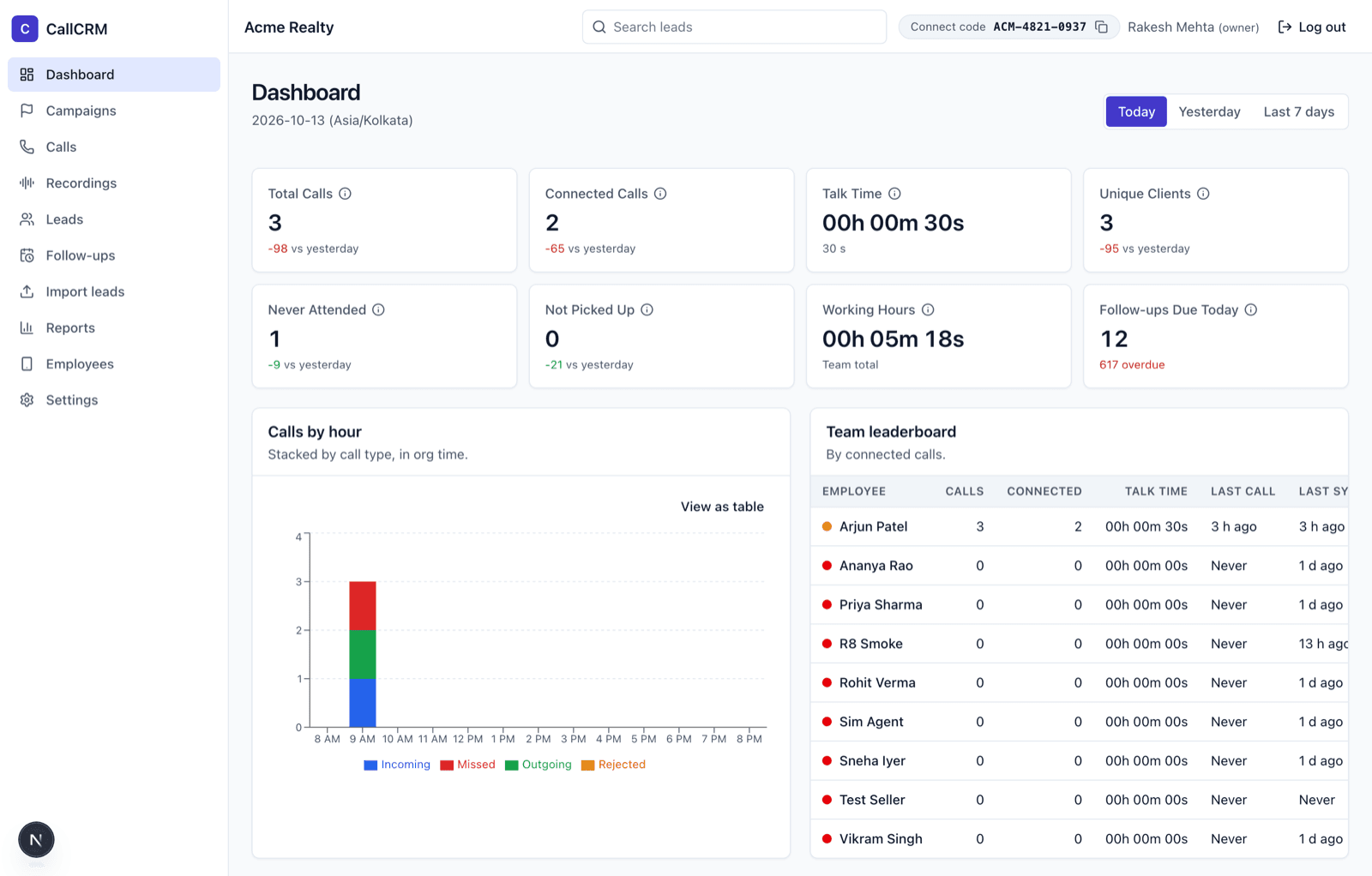
3 You see everything, live
Who called whom, who connected, who was never attended, talk time, working hours, follow-ups due and every recording, on one dashboard that refreshes by itself.
Features
Everything a calling team needs, nothing it has to be trained on
Automatic call capture
Incoming, outgoing, missed and rejected calls on the work SIM, with duration and ringing time, synced within a minute. Works offline and catches up later.
After-call outcome card
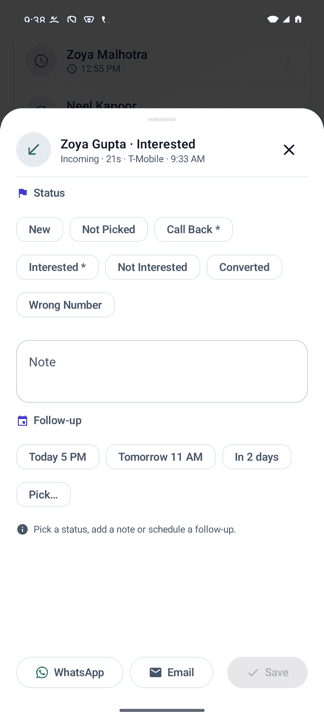
A card pops up when a call ends: pick a status, add a note, set a follow-up. Unknown numbers become leads in one tap.
Leads and campaigns
Import files with column mapping and duplicate handling. Campaigns give each webinar or launch its own calling window and per-day targets.
Follow-ups that happen
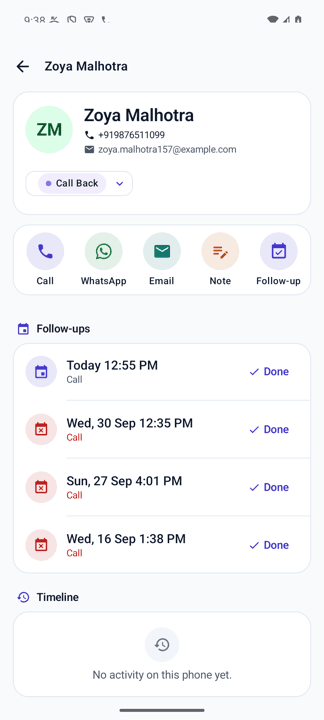
Overdue, today and upcoming lists on the phone and the dashboard, with reminders. Statuses like "Call back" require a date.
Recordings with an AI review
Answered calls recorded by the phone's own recorder are uploaded, transcribed (Hindi, English and mixed) and reviewed: what the customer asked, objections, why it did not convert, the next step.
Reports and exports
Employee summary, never attended, not picked up, call history, campaign progress. Every table exports to CSV.
Team health at a glance
A green, amber or red dot per phone tells you whether permissions, battery settings and sync are fine, before a day of calls goes missing.
Private by design
Only the work SIM is read, never contacts or messages. Phones join by invitation. Every recording playback is written to an audit log.
AI call reviews
Listen to the calls that matter. Read the rest.
Every answered call with a recording gets a written review within minutes, in the language the call happened in. Managers coach from the review and open the audio only when they need to.
- A two-line summary of the call
- The questions the customer asked
- What went well and what went wrong
- Objections and why the lead has not converted yet
- How to convert, and the suggested next step with a date
- Recording and AI analysis are switched on per company and can be turned off any time. Transcripts are never used to train models.
For salespeople
A phone app that stays out of the way
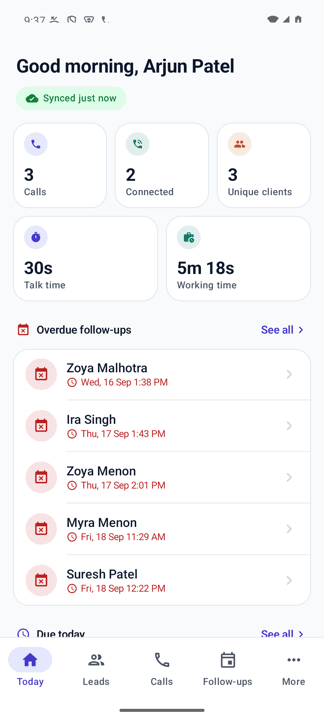
One screen for the day: the deadline, how many calls are left, who to call first, who to call again, and the follow-ups that are due. Tap to call, log the outcome, move on.
Questions
Straight answers
- Does CallCRM record calls?
- No. CallCRM never records audio itself. If your company turns recordings on, the app uploads the files your phone's own call recorder already saves, and only for calls on the work SIM.
- Which phones does it work on?
- Android 10 or newer, any SIM. Samsung, Xiaomi, Vivo, Oppo, Realme, OnePlus and Pixel are covered by the setup guide. iPhones are not supported yet.
- What does a salesperson see?
- Only their own leads, calls, follow-ups and recordings. Managers see everyone.
- How long does setup take?
- About five minutes per phone: install the app, enter the company code and the work number, allow the permissions, done.
More in Support.
See it on your own team's calls
A 30-minute demo, then a 14-day trial we set up for you.